

Drift, history and rollback
After a deploy, the copy on the server and the source in your project lead separate lives, and they can diverge from either side. Gaffer’s day-2 verbs read that relationship (diff, status), trace how it got there (history), and move the server back (rollback, recreate).
Drift and the five verdicts
Section titled “Drift and the five verdicts”gaffer diff <projection> compares what’s deployed against your local definition and reports one of five states:
- in sync: the content hash matches; nothing to do.
- drifted: the definitions differ. With deploy metadata present, the drift is attributed: local ahead (you edited local since deploying) or changed externally (a tool or a direct write changed the server since).
- not deployed: the projection exists locally but not on the server.
- untracked: the projection is on the server but absent from
gaffer.toml. One that gaffer itself deployed shows as an orphan (a deletion candidate; remove it withgaffer delete <projection>, which confirms first); anything else is plain untracked, with its deploying tool named. - invalid: the local definition can’t be used - it doesn’t compile, or has a config error such as
track_emitted_streamson engine version 2.
When the query differs, the source diff renders inline with the changed spans highlighted; set GAFFER_EXTERNAL_DIFF to open an external viewer (git diff, delta, difft). gaffer status reports the same verdict for every projection at once, alongside runtime state.
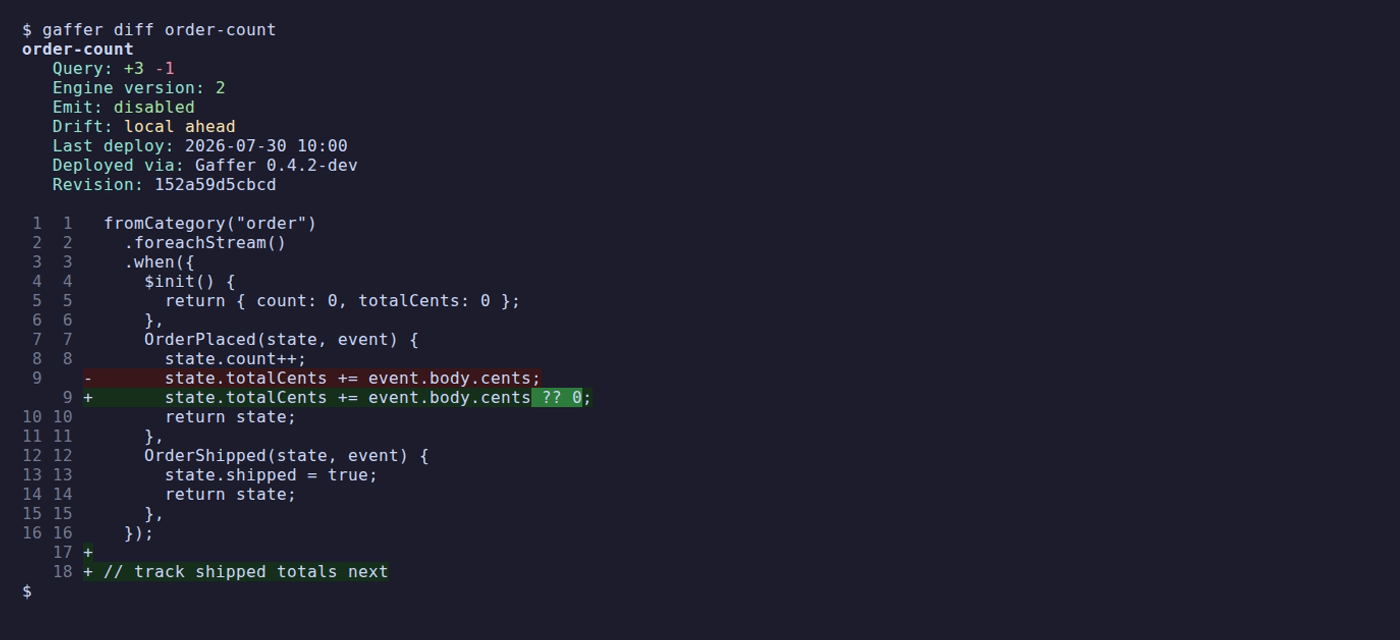
Gaffer treats your project as the canonical source, but it surfaces out-of-band changes rather than refusing them: a deploy over an externally changed projection warns that it will overwrite the change and asks you to confirm, and nothing stops another tool from writing to the server between your deploys. The verdicts exist so that divergence is visible before it matters.
The deploy ledger and history
Section titled “The deploy ledger and history”Every create and update records tool metadata for attribution: the tool and version, the source revision (the project’s git commit, +changes when dirty), and the acting identity. In CI, GAFFER_ACTOR / GAFFER_REVISION override them to record the pipeline identity and canonical commit.
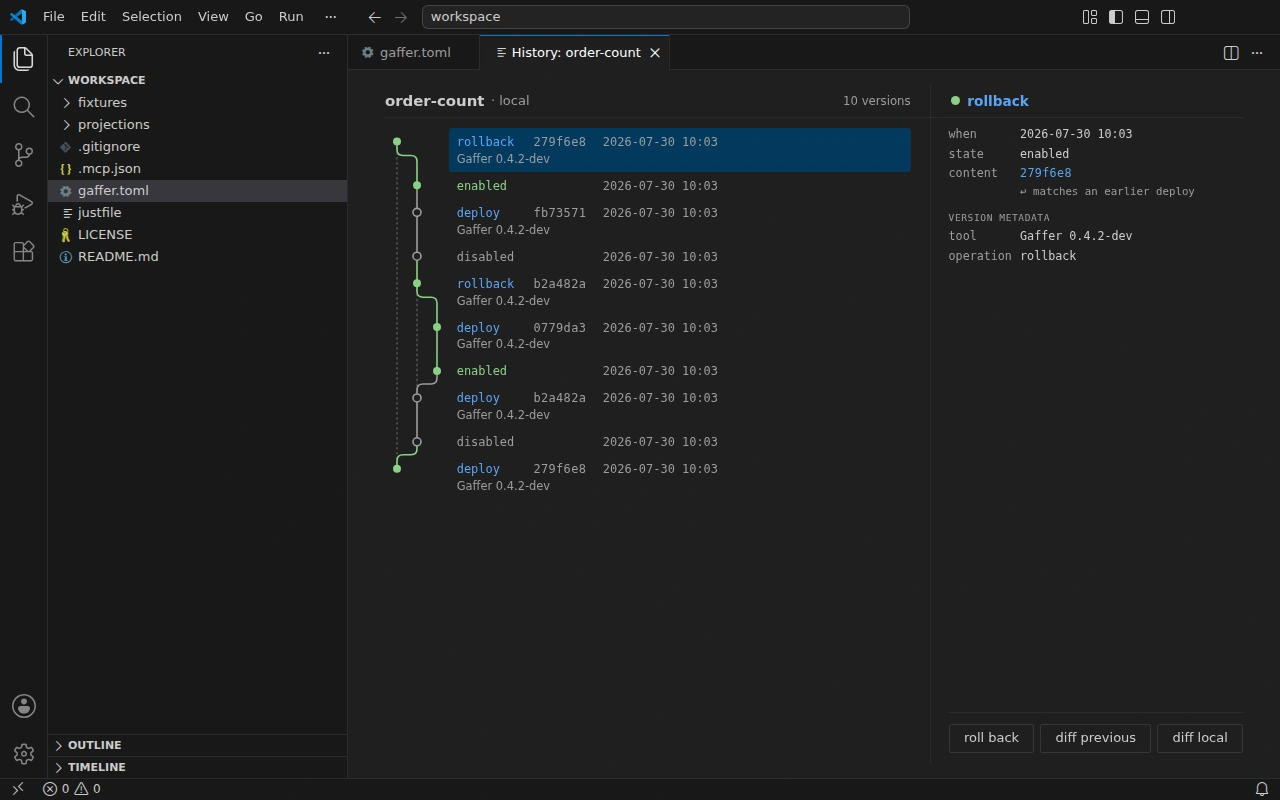
gaffer history <projection> shows every operation on the deployed projection, newest first. Entries carrying gaffer metadata name the operation (deploy, rollback, reset, recreate), the actor, and the revision. Entries without it are attributed by what changed: updated (the definition moved), updated via another tool, enabled/disabled, or reconfigured. A change made after gaffer began managing the projection is flagged as changed outside gaffer, and a reverted definition is recognisable because its content hash matches an earlier entry.
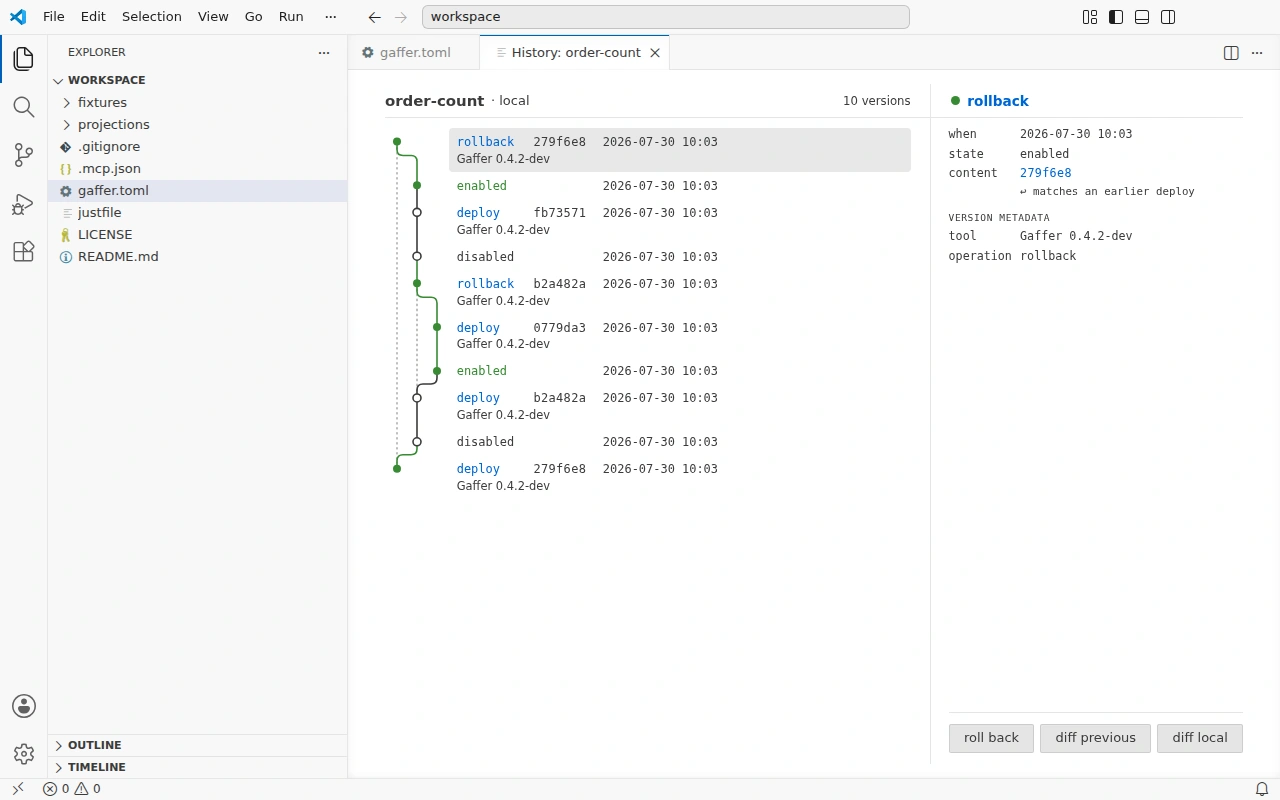
On a terminal, history opens an interactive timeline: arrow keys to move, d to see the change an entry introduced as a source diff, r to roll back to the selected version. Piped or with --json it prints the latest entries instead. The VS Code extension renders the same timeline in an editor tab:

Against a server that predates deploy metadata, history degrades to timestamps and content hashes only, and status falls back to plain untracked or drifted verdicts without attribution.
Roll back
Section titled “Roll back”gaffer rollback <projection> <hash> redeploys a prior version’s definition in place, stamped as a rollback in the ledger. The hash comes from history’s hash column; any unique prefix of at least four characters works. It always confirms, showing the change as a diff first (louder against production).
Two things rollback deliberately doesn’t touch:
- State. Processing continues from the current checkpoint, so state built by the newer query is kept. Rebuild from zero with
gaffer recreateif it must go. - Local files. Your source stays as it was, so
gaffer diffreports the rollback as drift (local ahead) until you reconcile - update local to match the rolled-back version, or deploy local again.
A version whose engine version or emitted-stream tracking differs from what’s deployed can’t be applied in place; update local config and use gaffer recreate instead.
Rebuild from zero
Section titled “Rebuild from zero”gaffer recreate <projection> destroys and rebuilds: disable, delete the projection with its state and checkpoint streams, then create it fresh from gaffer.toml, reprocessing every event with the current local definition. It’s the answer when a change can’t apply in place (engine version, emitted-stream tracking) or a wedged projection needs a clean slate. The projection must be in gaffer.toml and already deployed, since recreate builds from local config. Like rollback it leaves local files untouched, and the whole rebuild shows as a single recreate entry in history.
Recreate is destructive and not reversible, so it always confirms (louder against production) and compiles the local definition before anything is deleted. Emitted streams stay in place by default; reprocessing re-emits into them, so pass --delete-emitted for a clean rebuild when duplicates would matter. See gaffer recreate.
Next steps
Section titled “Next steps”Drift makes a natural CI gate: gaffer deploy --dry-run exits 2 when there’s a plan to apply and 0 when everything is in sync. CI/CD integration builds the pattern out.